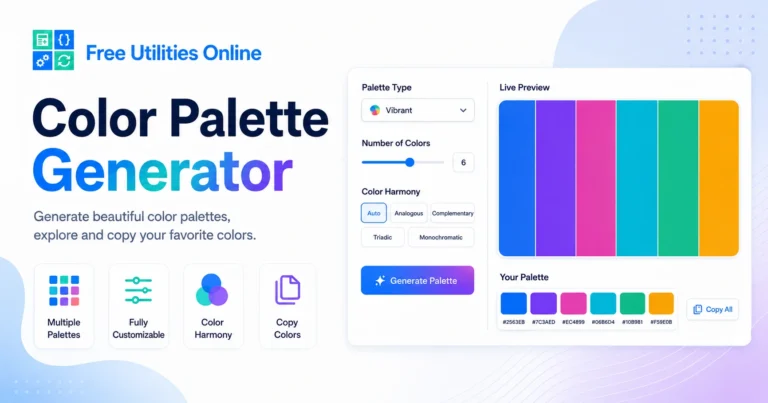
Free Online Color Palette Generator
Generate beautiful color palettes online for free. Choose a base color, select a palette type, adjust the number of colors, lock your favorite shades and copy the final color scheme.
Use this color palette generator to create HEX color palettes, CSS variables and visual color combinations for websites, branding, UI design, social media graphics and creative projects.
Palette settings
Choose a base color, palette type and number of colors.
Your palette
Click a color to copy it. Lock colors to keep them while generating new combinations.
Saved palettes
Recent and favorite palettes are saved locally in this browser.
Recent palettes
Favorite palettes
Export palette
What is a Color Palette Generator?
A color palette generator is an online tool that helps you create groups of colors that work well together. Instead of choosing every color manually, you can generate a palette based on color harmony rules, random combinations or a selected base color.
This tool can generate monochromatic, analogous, complementary, split complementary, triadic, tetradic, square, shades, tints and pastel palettes. You can also choose the number of colors, lock individual colors and export your palette in formats that are useful for design and development.
The tool runs directly in your browser, so your palette is generated locally and your colors are not uploaded or stored.
What can you use a Color Palette Generator tool for?
You can use this color palette generator to create color schemes for websites, landing pages, apps, dashboards, brand identities, social media posts, presentations, illustrations and visual design systems.
It is especially useful when you need quick color inspiration, CSS-ready colors, brand color variations, accessible interface ideas or a starting point for a new creative project.
How to use the Color Palette Generator
Step 1: Choose a base color
Use the color picker or paste a HEX color value. The tool will use this color as the starting point for palette modes that depend on a base color.
Step 2: Select a palette type
Choose the type of palette you want to generate. You can create random palettes, monochromatic palettes, analogous palettes, complementary palettes, split complementary palettes, triadic palettes, tetradic palettes, square palettes, shades, tints or pastel palettes.
Step 3: Choose the number of colors
Select how many colors you want in your palette. You can generate small two-color palettes or larger palettes with up to eight colors.
Step 4: Generate and refine
Click the generate button to create a new palette. If you like a specific color, lock it before generating again. Locked colors stay in place while the rest of the palette changes.
Step 5: Copy or export your palette
Copy individual colors, copy the full HEX list, copy RGB or HSL values, generate CSS variables or download the palette as a JSON file.
Supported palette types
This online color palette generator supports multiple color combination modes:
- Random palettes
- Monochromatic palettes
- Analogous palettes
- Complementary palettes
- Split complementary palettes
- Triadic palettes
- Tetradic palettes
- Square palettes
- Shades palettes
- Tints palettes
- Pastel palettes
These palette types can help you create balanced visual systems for design, branding and web development.
Common use cases
For web designers
Web designers can generate color schemes for websites, landing pages, buttons, backgrounds, sections and complete interface systems.
For developers
Developers can copy HEX values, RGB values, HSL values or CSS custom properties and use them directly in CSS files, components or design tokens.
For branding projects
Brand designers can create variations around a primary brand color and explore complementary or analogous combinations.
For UI and product design
UI designers can generate interface palettes for dashboards, apps, cards, navigation elements, alerts and visual states.
For social media and content creation
Content creators can use generated palettes for posts, carousels, thumbnails, presentations and visual templates.
Related tools
Frequently Asked Questions
Is this Color Palette Generator free?
Yes. This online color palette generator is completely free to use.
Is my palette stored?
No. The tool runs directly in your browser. Your colors and palettes are not uploaded, saved or stored.
Can I generate a palette from a base color?
Yes. You can choose or paste a base color and generate palettes based on different color harmony modes.
What palette types are supported?
The tool supports random, monochromatic, analogous, complementary, split complementary, triadic, tetradic, square, shades, tints and pastel palettes.
Can I choose how many colors are in the palette?
Yes. You can generate palettes with 2 to 8 colors.
Can I lock colors?
Yes. You can lock individual colors to keep them while generating the rest of the palette again.
Can I copy CSS variables?
Yes. The tool can generate CSS custom properties from your palette so you can use the colors directly in your stylesheet.
Can I download the palette?
Yes. You can download your palette as a JSON file directly from the tool.
Explore more text tools
Need more visual utilities? Explore our free design tools to pick colors, generate CSS gradients, create shadows, design buttons, build glassmorphism effects and create responsive CSS values faster.