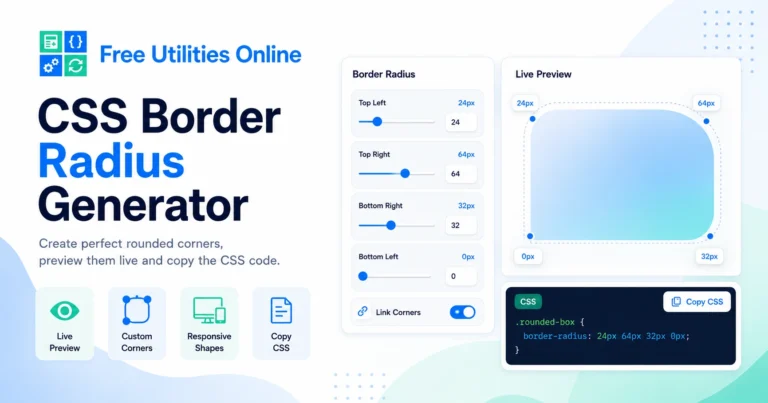
Free Online CSS Border Radius Generator Tool
Generate CSS border-radius values online instantly with this free CSS Border Radius Generator. Use the tool below to create rounded corners, pill shapes, circular elements and custom corner radius CSS.
Border radius settings
Create rounded corners, pills, circles and organic CSS border-radius shapes.
Corner controls
Use one value for all corners or customize each corner individually.
Live preview
Preview the radius on different element shapes.
Saved radius presets
Recent and favorite radius presets are saved locally in this browser.
Recent presets
Favorite presets
Generated CSS
24pxWhat is a CSS Border Radius Generator?
A CSS Border Radius Generator is an online tool that helps you create border-radius CSS values visually. Instead of writing radius values manually, you can adjust the corners of an element, preview the result and copy the generated CSS code.
The CSS border-radius property is used to round the corners of boxes, cards, buttons, images, containers and UI elements. You can apply the same radius to every corner or customize each corner individually.
This CSS Border Radius Generator runs directly in your browser, making it fast and simple to create rounded corners without installing software.
What can you use it for?
You can use this online border radius generator to create rounded buttons, cards, profile images, badges, containers, modals, input fields, image previews, UI panels, product cards and decorative shapes.
For example, you may want a soft 12px radius for a modern card, a fully rounded pill button, a circular avatar, or a custom asymmetric shape with different radius values for each corner.
How to use the CSS Border Radius Generator
Step 1: Adjust the border radius
Use the controls to change the corner radius values. You can apply one value to all corners or customize each corner separately.
Step 2: Preview the result
Check the live preview to see how the rounded corners look on the element. Adjust the values until the shape matches your design.
Step 3: Copy the CSS code
Copy the generated border-radius CSS and paste it into your stylesheet, component, page builder, design system or frontend project.
Border radius options
This CSS Border Radius Generator can help with common rounded corner tasks such as:
- Generate CSS border-radius values
- Create rounded corners
- Create pill-shaped buttons
- Create circular elements
- Customize each corner separately
- Set top-left border radius
- Set top-right border radius
- Set bottom-right border radius
- Set bottom-left border radius
- Preview rounded corners live
- Generate clean CSS code
- Copy border-radius CSS instantly
- Use pixel radius values
- Use percentage radius values
- Create soft UI corners
- Create modern card corners
- Reset radius values quickly
- Use the tool without installing software
The final CSS output may depend on the values you choose, the element size and how the generated code is applied in your project.
What does border-radius do in CSS?
The border-radius property controls how rounded the corners of an element are. A small value creates a subtle rounded corner, while a larger value creates a softer or more circular shape.
For example, a card may use a radius of 12px, a button may use 999px to create a pill shape, and an avatar may use 50% to create a circle.
Border radius is one of the most common CSS properties used in modern UI design because it helps elements feel softer, cleaner and more polished.
Common border-radius examples
Rounded card
A card often uses a medium radius such as 12px, 16px or 24px. This creates a clean modern container for content, images, product previews or UI panels.
Pill button
A pill button usually uses a very large border radius, such as 999px. This makes the button fully rounded on the left and right sides.
Circular image
A circular image usually uses border-radius: 50%;. This is common for avatars, profile pictures, user icons and circular thumbnails.
Custom corner shape
You can create a custom shape by giving each corner a different value. This is useful for creative UI elements, badges, hero cards, decorative blocks and asymmetric layouts.
CSS border-radius syntax
One value
Using one value applies the same radius to all four corners.
border-radius: 16px;Two values
Using two values applies the first value to the top-left and bottom-right corners, and the second value to the top-right and bottom-left corners.
border-radius: 16px 32px;Four values
Using four values lets you control each corner individually in this order: top-left, top-right, bottom-right and bottom-left.
border-radius: 16px 32px 8px 24px;Percentage values
Percentage values can create circular or elliptical shapes depending on the size of the element.
border-radius: 50%;Pixels vs percentages
Pixel border radius
Pixel values such as 8px, 16px or 24px are useful when you want consistent rounded corners across buttons, cards, inputs and layout elements.
Percentage border radius
Percentage values such as 50% are useful when you want circular or fluid shapes. They depend on the width and height of the element.
For most UI elements, pixel values are easier to control. For avatars, circles and organic shapes, percentage values can be more useful.
Why use a CSS Border Radius Generator?
A visual CSS Border Radius Generator helps you design rounded corners faster. Instead of guessing values, you can adjust the radius, preview the result and copy the CSS when it looks right.
This is useful for designers, developers, students, frontend builders, WordPress users, Elementor users and anyone creating UI components with CSS.
It can also help you keep a consistent visual style across cards, buttons, badges, inputs, images and reusable design elements.
Common use cases
For buttons
Create soft rounded buttons, pill buttons, CTA buttons and navigation buttons with consistent border radius values.
For cards
Generate border radius CSS for product cards, blog cards, pricing cards, feature cards and dashboard panels.
For images
Create rounded image corners, circular avatars, profile pictures and soft image previews.
For forms
Apply rounded corners to input fields, search boxes, textareas, select fields and form containers.
For UI components
Use border radius values for modals, dropdowns, badges, alerts, tooltips, tabs and reusable interface components.
For design systems
Create consistent radius values for your design system, such as small, medium, large, pill and full radius styles.
Related tools
Frequently Asked Questions
Is this CSS Border Radius Generator free?
Yes. This CSS Border Radius Generator is completely free to use.
Do I need to install anything?
No. You can generate border-radius CSS directly in your browser without installing software.
What is border-radius in CSS?
border-radius is a CSS property used to round the corners of an element.
Can I customize each corner separately?
Yes. You can create different radius values for the top-left, top-right, bottom-right and bottom-left corners.
How do I make a pill button with CSS?
You can use a large border radius value such as 999px to create a pill-shaped button.
How do I make a circle with border-radius?
You can use border-radius: 50%; on an element with equal width and height to create a circle.
Can I use border-radius on images?
Yes. You can apply border-radius to images to create rounded images, circular avatars or soft image corners.
Can I copy the generated CSS?
Yes. After adjusting the radius values, you can copy the generated CSS and use it in your project.
Does border-radius work with all browsers?
The border-radius property is widely supported in modern browsers.
Can I use this with WordPress or Elementor?
Yes. You can copy the generated CSS and use it in WordPress, Elementor, custom CSS fields, themes, blocks or frontend projects.
What units can I use for border-radius?
Common units include px, %, rem and em. Pixel and percentage values are the most common for rounded corners.
Does border-radius affect layout?
Border radius changes the visual shape of the element corners, but it does not normally change the element’s layout size.
Explore more CSS tools
Need more CSS utilities? Explore our free design tools to create buttons, gradients, shadows, glassmorphism effects, responsive values, grid layouts, flexbox layouts and modern UI styles faster.