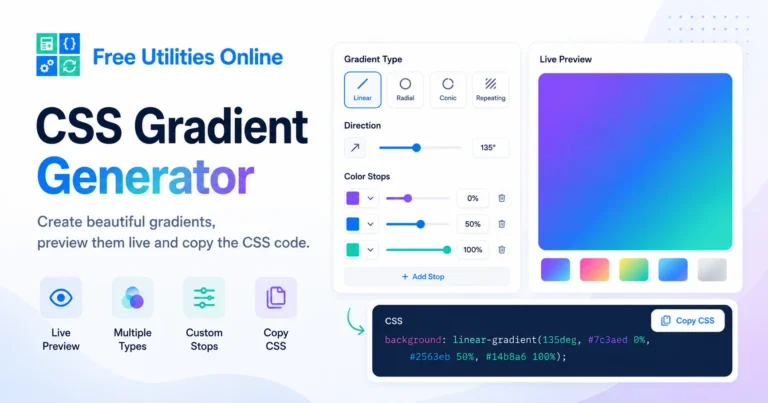
Free Online CSS Gradient Generator Tool
Generate CSS gradients online instantly with this free CSS Gradient Generator. Use the tool below to create linear gradients, radial gradients, colorful backgrounds and custom CSS gradient code for your website or design project.
Gradient settings
Create linear, radial, conic and repeating CSS gradients with editable color stops.
Color stops
Add, remove and position each color stop in the gradient.
Live preview
Preview the gradient as a background, panel, card, button or text effect.
Generated CSS
linear-gradient(135deg, #4F46E5 0%, #06B6D4 100%)Saved gradients
Recent and favorite gradients are saved locally in this browser.
Recent gradients
Favorite gradients
What is a CSS Gradient Generator?
A CSS Gradient Generator is an online tool that helps you create gradient backgrounds visually. Instead of writing gradient code manually, you can choose colors, adjust the direction, preview the result and copy the generated CSS code.
CSS gradients are commonly used for backgrounds, buttons, cards, hero sections, banners, overlays, badges, headers and modern UI components. A gradient can blend two or more colors smoothly to create depth, contrast and visual interest.
This CSS Gradient Generator runs directly in your browser, making it fast and simple to create CSS gradients without installing software.
What can you use it for?
You can use this online gradient generator to create website backgrounds, landing page hero sections, button styles, card backgrounds, social graphics, app UI elements, overlays, banners, call-to-action sections and decorative design effects.
For example, you may want a soft blue-to-purple background for a hero section, a vibrant orange-to-pink gradient for a CTA button, a dark glassmorphism-style gradient for a card, or a subtle neutral gradient for a clean website section.
How to use the CSS Gradient Generator
Step 1: Choose your gradient colors
Select two or more colors for your gradient. You can adjust each color until the transition matches your design.
Step 2: Adjust the gradient style
Choose the gradient type, direction, angle or position. Depending on the tool options, you may create a linear gradient, radial gradient or custom background gradient.
Step 3: Copy the CSS code
Preview the result and copy the generated CSS gradient code. Paste it into your stylesheet, component, page builder, theme or frontend project.
CSS gradient options
This CSS Gradient Generator can help with common gradient design tasks such as:
- Generate CSS gradients online
- Create linear gradients
- Create radial gradients
- Create background gradients
- Choose custom gradient colors
- Adjust gradient direction
- Adjust gradient angle
- Create two-color gradients
- Create multi-color gradients
- Preview gradients live
- Generate clean CSS code
- Copy CSS gradient code instantly
- Create button gradients
- Create card gradients
- Create hero section gradients
- Create overlay gradients
- Create modern UI backgrounds
- Use the tool without installing software
The final CSS output may depend on the colors, direction, gradient type and how the generated code is applied in your project.
What is a CSS gradient?
A CSS gradient is a background made from a smooth transition between two or more colors. Instead of using an image file, you can create the gradient directly with CSS.
Gradients are useful because they are flexible, lightweight and easy to customize. You can change colors, direction, angle and shape directly in code.
CSS gradients are often used in modern web design because they can make simple sections, buttons and cards feel more dynamic without needing extra image assets.
Common CSS gradient types
Linear gradient
A linear gradient blends colors along a straight line. The direction can go from left to right, top to bottom, diagonally or at a custom angle.
Radial gradient
A radial gradient blends colors outward from a center point. It is useful for spotlight effects, soft backgrounds, glowing UI elements and decorative sections.
Multi-color gradient
A multi-color gradient uses more than two colors to create a richer transition.
Subtle gradient
A subtle gradient uses similar colors or low contrast to create a soft background effect.
CSS gradient syntax
CSS linear gradient syntax
The linear-gradient() function lets you define a direction and a list of color stops.
background: linear-gradient(90deg, #3b82f6, #8b5cf6);In this example, 90deg controls the direction of the gradient. The first color is the starting color, and the second color is the ending color.
You can also use direction keywords:
background: linear-gradient(to right, #3b82f6, #8b5cf6);CSS radial gradient syntax
The radial-gradient() function creates a gradient that expands from a center point.
background: radial-gradient(circle, #22c55e, #14532d);Radial gradients are useful for glowing backgrounds, soft highlights, decorative cards, hero sections and visual depth.
Gradient colors and color stops
A color stop is a point in the gradient where a color appears. You can use simple color transitions or define exact stop positions.
background: linear-gradient(90deg, #0ea5e9 0%, #8b5cf6 50%, #ec4899 100%);Color stops give you more control over how fast or slow each color blends into the next one.
Why use a CSS Gradient Generator?
A visual CSS Gradient Generator helps you design gradients faster. Instead of guessing color combinations and angle values, you can adjust the gradient visually, preview the result and copy the CSS when it looks right.
This is useful for designers, developers, students, frontend builders, WordPress users, Elementor users and anyone creating modern website designs.
It can also help you keep consistent gradient styles across buttons, cards, sections, landing pages, banners and design systems.
Common gradient use cases
For website backgrounds
Create full-section backgrounds, landing page gradients, hero backgrounds and decorative website areas.
For buttons
Generate colorful gradient buttons, CTA buttons, hover states and modern action elements.
For cards
Create soft card backgrounds, pricing cards, feature cards, product cards and dashboard panels.
For overlays
Use gradients as overlays on images, videos, banners and hero sections to improve contrast and readability.
For badges and labels
Create gradient badges, tags, labels and small UI elements with more visual impact.
For design systems
Create reusable gradient tokens or CSS variables for consistent UI styles across a project.
Linear gradient vs radial gradient
Linear gradient
Use a linear gradient when you want a smooth color transition in a straight direction. This is ideal for backgrounds, buttons, banners and section dividers.
Radial gradient
Use a radial gradient when you want a color transition that expands from a center point. This is ideal for glows, highlights, spotlight effects and decorative backgrounds.
Both gradient types are useful, and the best choice depends on the visual effect you want to create.
Tips for better CSS gradients
Use enough contrast
Make sure text remains readable when placed over a gradient background. If needed, add an overlay or choose softer colors.
Keep gradients consistent
Use similar gradient styles across your website so the design feels intentional and cohesive.
Avoid too many colors
Two or three colors are often enough for a clean gradient. Too many colors can make the design feel noisy.
Test on different screen sizes
Gradients can look different depending on the element size. Always preview the result on desktop and mobile layouts.
Use gradients with shadows and radius
Gradients often work well with border radius, box shadows, glassmorphism effects and modern UI components.
Related tools
Frequently Asked Questions
Is this CSS Gradient Generator free?
Yes. This CSS Gradient Generator is completely free to use.
Do I need to install anything?
No. You can generate CSS gradients directly in your browser without installing software.
What is a CSS gradient?
A CSS gradient is a smooth transition between two or more colors created with CSS instead of an image file.
Can I create a linear gradient?
Yes. You can create linear gradients and adjust the color direction, angle and color stops.
Can I create a radial gradient?
Yes. You can create radial gradients for glow effects, spotlight backgrounds and circular color transitions.
Can I use more than two colors?
Yes. CSS gradients can use multiple colors and custom color stops.
Can I copy the generated CSS?
Yes. After creating your gradient, you can copy the generated CSS code and use it in your project.
Can I use CSS gradients for buttons?
Yes. CSS gradients are commonly used for buttons, CTA sections, cards and modern UI elements.
Can I use this with WordPress or Elementor?
Yes. You can copy the generated CSS and use it in WordPress, Elementor, custom CSS fields, blocks, themes or frontend projects.
Do CSS gradients need image files?
No. CSS gradients are generated with CSS code, so you do not need to upload or reference an image file.
Do CSS gradients affect performance?
CSS gradients are generally lightweight compared with image backgrounds, but very complex effects should still be tested across devices.
Can I use CSS gradients with border radius?
Yes. Gradients work well with border-radius, making them useful for rounded buttons, cards, badges and panels.
Explore more CSS tools
Need more CSS utilities? Explore our free design tools to create border radius values, buttons, shadows, glassmorphism effects, responsive values, grid layouts, flexbox layouts and modern UI styles faster.